I… what the fuck am I looking at… ?
Please draw a diagram of this creature’s digestive system for me. Also their spinal structure.
I… what the fuck am I looking at… ?
Please draw a diagram of this creature’s digestive system for me. Also their spinal structure.


SkiFree updated to run on 64-bit systems and in Wine
Chip’s Challenge and Chip’s Challenge 2 are both available on Steam
Uneven enforcement is a hallmark of fascist authoritarian states. Many things are illegal that are commonly done anyway. As a result, nearly everyone is “guilty” of something which the state can use against them whenever it’s convenient.
This is idealistic to the point of parody.
Your rocket will ignite in fifteen minutes.
Actually, it’s looking more like six days.
No wait, thirty seconds.

Freudian slap.
Be careful whose advice you buy,
but be patient with those who supply it.
Advice is a form of nostalgia;
dispensing it is a way of fishing the past from the disposal,
wiping it off,
painting over the ugly parts
And recycling it for more than it’s worth
Preferred solution for an unholy operating system:


Hopefully the energy of this reaction won’t be scattered among too many alternatives, although some amount of scattering is always good.
It’s traditional:

I feel personally attacked.
It is true that Irish people were used as slaves, it just wasn’t done at a systematic scale equivalent to the African slave trade. The abduction of people from Africa was a global industry, and the scale that it operated at created inhuman horrors that are not really comparable to anything else (except maybe present-day Xinjiang).
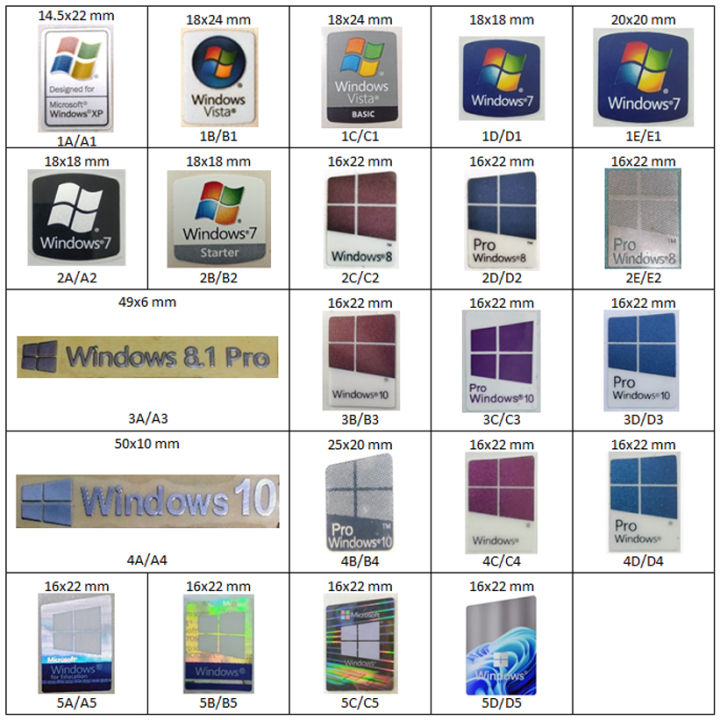
I can’t find a picture of that exact model, but to me it looks like it has the silver box HP logo like this one:

Compaq had this square Q logo, and usually the entire word “Compaq” also:

But there could be some confusion because HP acquired Compaq in 2002 and sold computers with Compaq branding until 2013, which covers the Vista period. It’s entirely possible they sold the same desktop shell with both HP and Compaq branding.
And no thats definitely a Zip drive, not a 3.5" floppy:


The little round button on the right and the round inset under the slot give it away.

Heh, so ALSA has kind of been the audio architecture for Linux distros since forever.
Pulse Audio was supposed to modernize audio for Linux and ultimately replace ALSA.
But last time I installed Linux on my desktop, I couldn’t get audio output from my motherboard’s TOSLINK S/PDIF port no matter which settings I changed in the GUI, uninstalled/reinstalled drivers and codecs and whatnot, etc.
Nothing made any difference until I eventually found some forum post which suggested using ALSAmixer to check the settings for various audio channels. ALSAmixer is not typically installed by default and not commonly used anymore, but it was the only tool that could unmute the digital audio output channel that served the TOSLINK port - that functionality was not present anywhere else in any of the configuration options. Pulse appeared to be in control of the system audio hardware, but in reality it was just sitting on top of and still relying on ALSA to handle the back end. Also, whoever set ALSA to mute some audio channels by default on a clean install… wtf dude, that shit just makes people think their hardware isn’t properly supported and they have a driver issue.
The point being, ALSA was supposed to be deprecated years ago and all of the old audio issues resolved and modernized with a new architecture, but… I’ll believe it when I see it, when whatever the new thing is actually proves itself to be an all-singing, all-dancing audio architecture. I’ve seen this rodeo before, and last time I checked it was still a clownshow.
You running Windows Vista on an HP desktop with a Zip drive in 2026?
Your company isn’t taking you or your work seriously, so yeah you shouldn’t either.





Hmm… is the giraffe centaur an obligate herbivore?